Tree Identification App Guide: How to Quickly Name Any Tree in Your Yard or Hike
Learn how a tree identification app can help you name unknown trees, spot rare varieties, and get care tips for native and ornamental species in seconds.
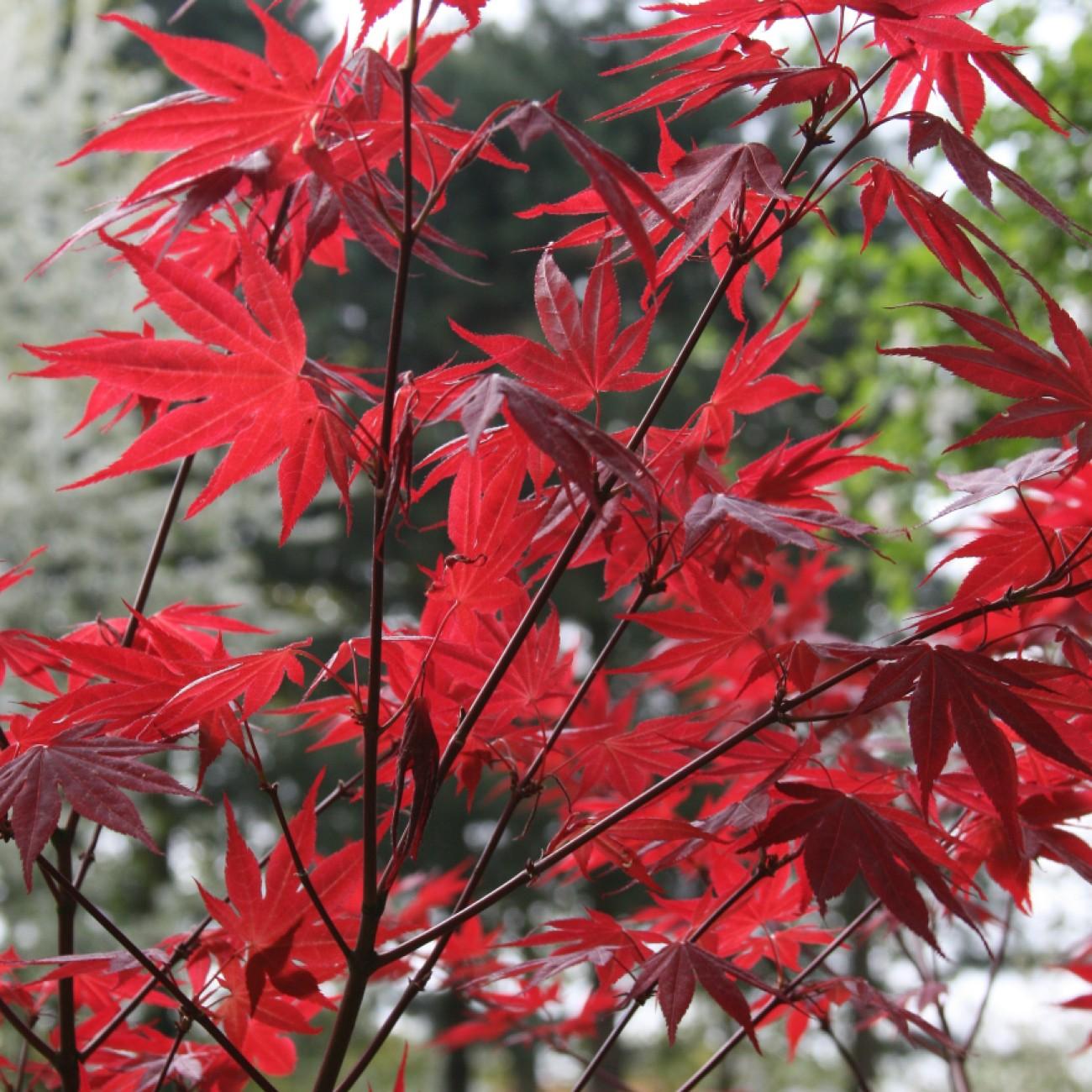
Why Use a Tree Identification App?
If you’ve ever stared at an unknown tree in your new yard and wondered if it’s safe for your dog to chew its fallen leaves, or spotted a showy tree on a hike and wanted to find a similar variety for your garden, a tree identification app solves those problems in seconds. No prior botany experience or bulky paper field guide is required.
These tools are built for casual users, from first-time homeowners to occasional hikers. They eliminate the guesswork of identifying native and ornamental species, and most include extra resources to help you care for landscape trees or learn more about wild varieties you encounter.
Core use cases include identifying unknown trees after moving to a new property, avoiding toxic species while exploring trails, verifying rare ornamental varieties before purchasing them from a nursery, and getting personalized care tips for existing trees in your landscape. For region-specific help, see our illustrated roundup of Florida flowering trees and how to identify them.
Key Features to Look For in a Quality Tree Id App
Not all tree identifier apps are built the same, and the best option for you depends on how you plan to use it. For most casual users, these four beginner-friendly features are the most important to prioritize.
First, look for photo-based identification. This feature lets you snap a picture of a tree’s leaf, bark, flower, or fruit and get a match in seconds, no need to manually enter physical traits into a search tool.
Next, check for integrated care tips. The most useful apps don’t just name a tree—they give you specific guidance for your growing zone, including watering schedules, pruning timelines, and sun exposure needs.
Pet-safety flags are another critical feature, especially for homeowners with dogs or cats that spend time outdoors. These flags will tell you if a tree’s leaves, bark, or fruit are toxic if ingested, so you can take steps to keep your pets away from dangerous species.
Finally, if you hike often in remote areas, look for offline access. This feature lets you download a portion of the app’s species database to your device, so you can identify trees even when you don’t have cell service.
Many free tree identification app options include basic identification tools, while paid tiers often add care reminders, access to larger plant databases, or ad-free use. Test a free version first to see if it covers your needs before upgrading.
How to Use These Tools for Accurate Results
Even the most robust tree ID tool will return unclear results if you submit blurry or incomplete photos. Follow these simple steps to get fast, reliable IDs every time you use the app.
Take clear photos of multiple tree parts Focus on the most distinct traits: the shape and color of leaves, the texture of bark, any flowers or fruit, and the overall shape of the tree. Use natural light to avoid glare that obscures fine details.
Note context clues Jot down the tree’s location (your yard, a high-elevation trail, a coastal park) and how much sun it gets each day. Most apps will use this data to narrow down results to species that grow naturally in your area.
Cross-reference with your growing zone If the app returns multiple possible matches, eliminate species that are not known to grow in your USDA hardiness zone. This will cut down on incorrect results for ornamental varieties that are only grown in specific climates.
Sproutly’s plant identification tool pulls from a large database of tree species to help confirm IDs quickly, and it automatically cross-references your location with native and ornamental growing ranges to reduce incorrect matches.
Common Ornamental Trees You Might Identify With a Tree Identifier App
Many homeowners first use these tools to figure out what’s already planted in their landscape. These three popular ornamental varieties are common across North America, and each has distinct traits that make them easy to confirm after you get an app result.
Amur Maple
Amur Maple is a small, hardy tree often used as a hedge or standalone landscape specimen. Its key identifying traits include bright red fall foliage, small winged seed pods that appear in late summer, and tolerance for full sun even in hot climates. It is also pet-safe, so you don’t have to worry if your dog chews its fallen leaves.
If your app identifies an Amur Maple in your yard, check our Amur Maple care guide for tips on pruning, fertilizing, and protecting it from common pests.
Beni Kawa Coral Bark Japanese Maple
This compact Japanese maple is prized for its year-round visual interest. Its most distinct trait is its bright coral-red bark, which stands out sharply in winter after the leaves have fallen. In spring, its leaves emerge light green with red edges, and they turn golden yellow in fall. It grows best in partial shade, making it a popular choice for yards with dappled light under larger trees.
If you spot this variety on a walk or identify it in your own yard, visit our Beni Kawa Coral Bark Japanese Maple profile for details on its mature size and preferred soil conditions.
Arakawa Cork Bark Japanese Maple
Another distinctive Japanese maple variety, the Arakawa Cork Bark is known for its deeply textured, rough bark that develops a cork-like appearance as the tree matures. It has small, palmate green leaves that turn bright orange and red in fall, and it thrives in both full sun and partial shade. Its unique bark makes it a popular focal point for small gardens.
For guidance on keeping this slow-growing tree healthy long-term, read our Arakawa Cork Bark Japanese Maple care tips.
What to Do After You Identify a Tree With Your Tree Id App
Identifying a tree is just the first step. What you do next depends on whether the tree is in your landscape or a wild area you’re exploring.
For landscape trees, start by reviewing the care requirements provided by the app. Compare its recommended watering, pruning, and fertilizing schedules to what you’re currently doing, and adjust as needed. For example, if you’ve been pruning your Japanese maple in spring when it should be pruned in late winter, you can shift your routine to avoid stressing the tree.
For wild trees you encounter on hikes, consider logging the find in a personal hiking journal or local community science database. You can also cross-reference the species with your local extension office’s website to confirm if it is invasive in your area. If it is, you can report the find to local land management officials to help control its spread.
Sproutly lets you save identified trees to a personal collection to track care needs over time. You can set custom reminders for pruning, fertilizing, and watering, so you never miss a critical care task for your landscape trees.
Tips for Using a Free Tree ID App Effectively
Free tiers of these tools work perfectly for most casual users, and a few simple hacks will help you get the most out of them without paying for an upgrade.
First, always take photos in natural light. Flash can wash out the color of leaves and bark, leading to less accurate results. If you’re identifying a tree in deep shade, move a fallen leaf or small branch into a sunnier spot to take your photo.
Second, capture multiple angles of the tree. A single photo of a leaf may not be enough to distinguish between two similar species, but adding photos of bark, fruit, or flowers will give the app more data to work with.
Finally, update the app regularly. Developers are constantly adding new species to their databases, so keeping the app up to date will ensure you can identify less common ornamental and native varieties.
Free tiers often cover most common native and ornamental trees, so they’re a great fit for casual hikers and homeowners who only need to identify a few trees per month. If you find yourself hitting identification limits or wanting extra features like custom care reminders, you can upgrade to a paid tier later.
FAQ
How accurate is a tree identification app?
Accuracy varies based on photo quality and the app’s database size. For best results, submit clear photos of multiple tree parts (leaves, bark, flowers) and cross-reference results with local extension resources if you need 100% confirmation for species like toxic or invasive trees.
Is there a free tree identification app that works for ornamental landscape trees?
Many free options cover common ornamental varieties, including Japanese maples and other popular landscape trees. Some free tiers may limit the number of identifications per month, so check the current app listing for up-to-date details on features and limits.
Can a tree id app tell me if a tree is safe for my pets?
Many tree identifier apps, including Sproutly, flag pet-safe species in their plant profiles. Always cross-check results with your vet if you’re concerned about a tree your pet may frequently interact with.
Do I need cell service to use these tools while hiking?
Some apps offer offline modes that let you save identification databases to your device for use in remote areas without service. If you hike often in areas with poor reception, look for a tree id app that advertises offline functionality.
Final Thoughts: Simplify Tree Care and Exploration With the Right App
Whether you’re a new homeowner trying to figure out what’s planted in your yard, a hiker curious about the trees you pass on trails, or a garden hobbyist looking to add new ornamental varieties to your landscape, a tree identification app takes the guesswork out of identifying and caring for trees. You don’t need any prior botany knowledge to use them, and most free options cover all the features casual users need.
Sproutly’s dual identification and care features make it easy to not only name trees but keep them healthy long-term. You can identify trees in seconds, save them to a personal care tracker, and get customized tips tailored to your specific growing zone.
Ready to start identifying the trees around you? Try Sproutly today to name any tree in your yard or on your next hike in seconds.
Related Reading
More guides you may like
Hibiscus China Rose: Identification, Care, Uses, and Growing Guide
Learn how to identify, grow, and care for hibiscus china rose (Hibiscus rosa-sinensis), plus its edible and traditional medicine uses for home gardeners.
2026-08-01 · 14 min read
Delphinium Elatum: Care, Cultivars, Toxicity, and Growing Guide
Learn how to grow and care for Delphinium elatum, including sun, water, and soil needs, popular cultivars, and toxicity warnings for home gardeners.
2026-07-31 · 16 min read
Games for Plants: Plant-Focused Video Games and Real-World Activities for Plant Lovers
Explore games for plants, from cozy plant-themed video games to low-lift real-world activities you can do with your houseplants to boost their health and your joy.
2026-07-31 · 17 min read