How a Plant Identify App Can Help You Recognize and Care for Any Plant You Find
Learn how a plant identify app works, what it can do for new and experienced plant lovers, and how to get the most accurate results every time.

How a Plant Identify App Can Help You Recognize and Care for Any Plant You Find
You’re walking through a neighborhood garage sale and spot a bushy, low-growing potted plant with thick, glossy leaves for $3. You bring it home, but have no clue if it needs full sun on your windowsill or low light in your home office. Or maybe you notice a striking tree with bright red bark in your neighbor’s front yard and want to plant one in your own yard, but don’t know what it’s called or what conditions it needs. These are the exact problems a plant identify app was built to solve, no botany degree required.
This type of tool uses image recognition technology to match photos you take of unknown plants to a curated database of verified species. It’s useful for everyone from new houseplant owners who have never cared for a plant before to experienced gardeners who want to confirm the identity of a new addition to their yard. Many options, including Sproutly, pair identification results with personalized care tips to help you keep your new plant thriving long after you figure out what it is.
4 Common Use Cases for a Plant Identify App
While casual curiosity is a common reason to use this type of tool, there are dozens of practical, everyday applications that can save you time, money, and frustration when caring for plants. Below are four of the most common use cases for new and experienced plant lovers alike:
Identify unlabeled gifted or thrifted houseplants The $3 garage sale plant you brought home? A quick scan can tell you exactly what it is, so you don’t accidentally overwater a drought-tolerant succulent or leave a humidity-loving fern in a dry, drafty corner. This also works for cuttings or full plants gifted from friends who don’t remember the exact name of the species they’re sharing.
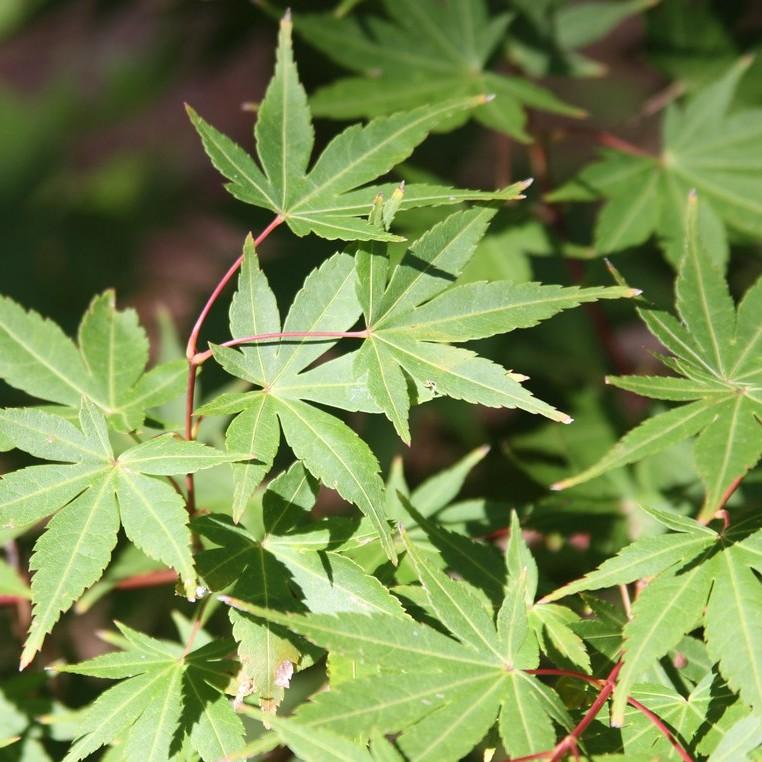
Map existing growth in your yard If you moved into a new home with established landscaping you didn’t design, scanning the existing trees, shrubs, and perennials can help you build a care schedule that works for every plant already growing there. For example, if you spot a coral-colored bark tree near your patio, a scan can tell you it’s a Beni Kawa Coral Bark Japanese Maple, and share that it needs full sun and lots of humidity to thrive.
Verify pet safety before bringing a new plant home Before you buy that pretty trailing plant from the local plant swap, a quick scan can confirm if it’s toxic to dogs or cats, so you don’t accidentally bring a dangerous plant into your home. This is also useful for identifying wild plants growing in your yard that your pet may encounter on walks or while playing outside.
Learn about native plants on outdoor walks If you’re interested in supporting local pollinator populations or planting native species in your yard, scanning plants you spot on hikes or local park walks can help you identify which species are native to your area, and what conditions they need to grow well.
How to Get the Most Accurate Results From Your Scans
Misidentifications can happen if you submit low-quality photos or miss key details about the plant’s growing environment. Follow these simple, actionable tips to get the most reliable results every time you scan:
Step 1: Take clear photos of key plant features
Avoid blurry, far-away shots of the entire plant. Instead, take close-up photos of unique identifying features, including:
- The top and underside of leaves
- Any flowers, fruit, or new growth
- Bark or stem texture, for trees and woody shrubs
- The overall growth habit (trailing, bushy, upright, etc.) if it is relevant to the species
Step 2: Add context about where you found the plant
Many tools ask for optional details like where the plant is growing (full-sun outdoor spot, shaded indoor shelf, wet woodland area) to narrow down results. Providing this context can help eliminate species that look similar but grow in completely different conditions.
Step 3: Cross-reference results with a verified database
Once you get a match, cross-check key details like care needs, native growing regions, and toxicity with a trusted plant encyclopedia to confirm the identification is correct. Sproutly pulls identification results directly from its verified encyclopedia, so you can easily click through to confirm care instructions after you scan a plant without leaving the app.
What to Do After You Get a Match
Once your tool confirms the identity of your plant, follow these steps to make sure you can give it the care it needs to thrive:
Review core care requirements first Check the light needs, watering schedule, humidity preferences, and temperature range for your plant to make sure your space can support it. For example, if your scan identifies a plant that needs 6+ hours of direct sun a day and you only have north-facing windows, you may need to add a grow light to keep it healthy.
Confirm toxicity if you have pets or small children Double-check the plant’s toxicity status to make sure it’s safe to keep in areas accessible to pets or kids. If it is toxic, you can plan to place it on a high shelf or in a room your pets don’t enter, or skip adding it to your collection entirely.
Check growing zone compatibility for outdoor plants If you’re planning to plant a new tree, shrub, or perennial in your yard, confirm it is suitable for your USDA hardiness zone before you dig a hole. Planting a species that is not adapted to your local winter lows or summer highs will almost always result in the plant dying within a season or two.
Many tools, including Sproutly, save your past scans automatically, so you can set custom care reminders and track your plant’s growth over time all in one place.
Example: What Identification Results Look Like for Common Plants
To illustrate how this process works in practice, here are two real examples from the Sproutly encyclopedia:
If you scan a spiky, low-maintenance houseplant with dark green, ribbed leaves, your result may identify it as a cast-iron plant, and note it’s pet-safe and can tolerate low light, infrequent watering, and a wide range of temperatures. This makes it a great pick for new plant owners who don’t have a lot of bright light in their home, or who tend to forget to water their plants regularly.
If you scan a small tree with bright red fall foliage growing in a local park, your result may match it to an Autumn Fire Japanese Maple, and share that it needs full sun and regular humidity to grow well, and is hardy to USDA zones 5 through 9. These results can help you decide if the plant is a good fit for your space before you bring it home or invest in care supplies.
Is a Paid Version Worth It for Casual Plant Owners?
This is one of the most common questions new users have, and the answer depends on how often you use the tool and what features you need. If you only scan a few plants a month and only need basic identification and care tips, a free version will likely meet your needs.
Paid tiers often include extra features like unlimited scans, custom care reminders, and direct access to plant experts for tricky identifications of rare or lookalike species. Features vary by app, so check the current app listing to see what’s included in free and paid plans for any tool you’re considering. Sproutly’s free tier includes plant identification and access to its full verified plant encyclopedia for casual users.
Final Tips for Choosing the Right Plant Identify App for You
With so many options available, it can be hard to pick the right one for your needs. Keep these factors in mind as you compare options:
- Make sure its database includes the types of plants you care most about (houseplants, outdoor trees, native wildflowers, etc.)
- Check that it shares clear, beginner-friendly care instructions after identification, not just the scientific name of the plant
- Confirm it has a feature to check pet toxicity if you have dogs or cats at home
- Test the interface to make sure it’s easy for you to navigate and use regularly
The best tool is one that aligns with what you need it for, whether that’s casual curiosity about plants on walks, full management of a 50+ houseplant collection, or planning a new outdoor garden from scratch.
FAQ
Can these tools tell me if a plant is pet-safe?
Many identification apps, including Sproutly, include toxicity information in their plant profiles, so you can quickly check if a new plant is safe to keep around dogs or cats after you scan it.
How accurate are plant identify app results?
Accuracy depends on the quality of your photo and the size of the app’s plant database. Taking clear photos of unique plant features (like leaves, flowers, or bark) will help you get the most reliable results.
Can I use these tools for outdoor trees as well as houseplants?
Yes, most apps include both houseplants and outdoor tree species in their databases, so you can identify everything from a mystery succulent on your windowsill to a colorful maple tree in your yard.
Do I need to pay for this type of tool to use it regularly?
Many options offer free tiers that work well for casual users who only scan a few plants a month. Paid plans often include extra features like unlimited scans or custom care reminders, depending on the app.
Try Sproutly Today
Ready to identify the unknown plants in your home, yard, and neighborhood? Try Sproutly for fast, accurate plant identification paired with verified care tips, toxicity checks, and custom care reminders to help you keep every plant in your collection thriving.
延伸閱讀
你可能也會喜歡這些指南

How to Identify Hydrangea by Leaf: Key Traits to Tell Them Apart From Lookalikes
Learn to identify hydrangea by leaf with simple, beginner-friendly tips to spot their unique traits and avoid mixing them up with common lookalike plants.
2026-05-11 · 9 min read

Tree Diseases: Common Signs, Prevention Tips, and How to Keep Your Trees Healthy
Learn to spot common tree diseases, prevent outbreaks, and care for sick trees to protect your garden’s ornamental and shade trees year-round.
2026-05-11 · 8 min read

Trees with Pods Identification: A Simple Beginner’s Guide to Common Species
Learn easy, practical tips for trees with pods identification, plus key traits to look for to tell common pod-bearing tree varieties apart in your yard or neighborhood.
2026-05-11 · 9 min read